 WhatsApp

Catalogue and Booklet Printing: Specify Pages, Binding and the Sample
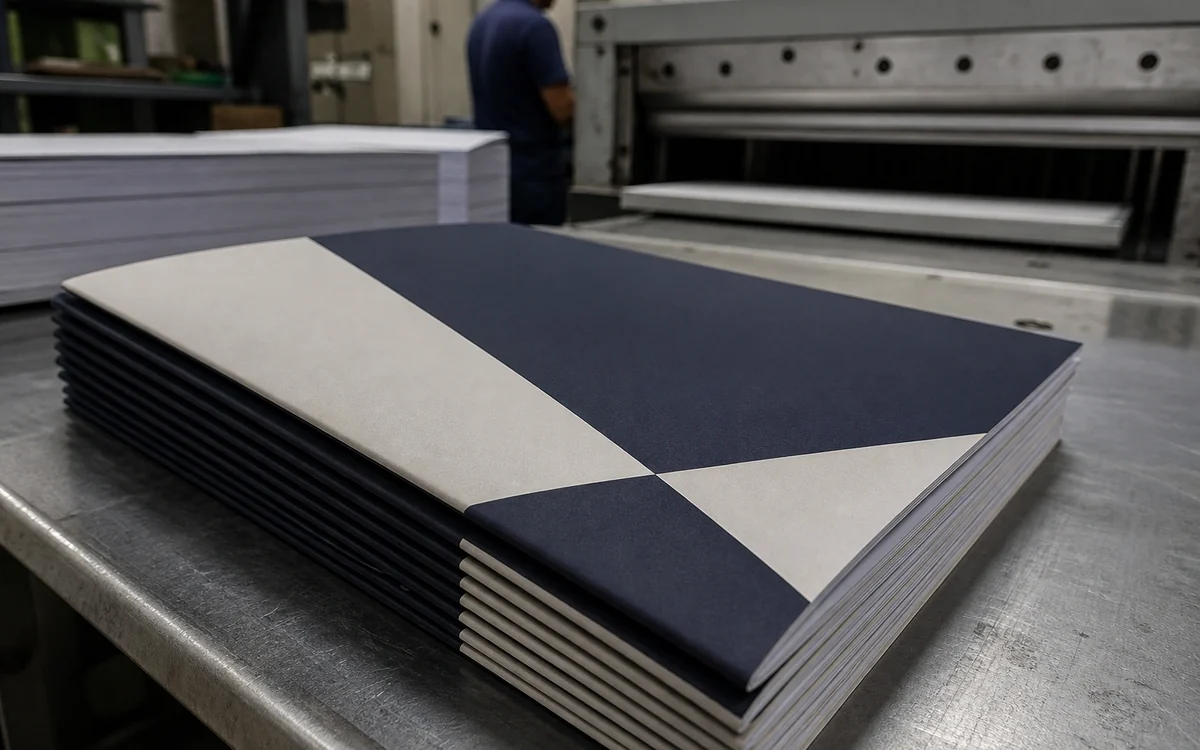
AI-generated representative publication-review visual. It is not a signed IBS pagination approval or evidence of a particular binding capability.
A catalogue quotation should say what the page total includes, how the publication finishes and which sample the buyer will approve. “Twenty-four pages” can mean a total including covers or text pages with a separate cover. Settle that ambiguity before comparing prices. The blank specification below connects the physical publication, pagination and binding questions without claiming a universal page limit or an automatically available finishing method.
Create a specification for each publication and edition
Download the CSV and assign an item reference to each catalogue, booklet or edition whose physical specification differs. Record the finished width and height, orientation, cover and text components, quantities and intended binding. Keep unconfirmed values visible.
The CSV is a blank proposed buyer tool. It is not a completed client record, signed approval or adopted IBS procedure. Use document, dummy and sample references so the client and printer can inspect the same evidence while unresolved decisions remain visible.
Separate the cover, text and intentional blanks
State whether the quoted page total includes the cover. If the cover uses different stock or finishing, give it a separate component line. Record intentional blank sides, inserts and foldouts by position. The quantity of complete copies is another field; it is not the number of printed pages.
Illustrative brief, not a client record: a request for 24 pages might describe 24 pages in total, or 24 text pages plus a separate cover. Those are different items to quote. Ask the designer and printer to return the same agreed breakdown before comparing totals or adding another language edition.
Adobe’s booklet-imposition guidance distinguishes reading-order document pages from printer spreads, and explains the handling of intentional blanks. Its booklet-type guidance also describes different signature arrangements. Ask the printer to confirm the required page grouping for the proposed binding route; do not remove or append blanks simply to make an unexplained total fit.
Approve the construction before choosing a finish
Finished size means the dimensions of the completed item. Ask the printer to confirm artwork dimensions, bleed and any binding allowance against that size. A screen spread alone does not settle how close text or images sit to a trim or bound edge. Keep the printer’s returned requirements with the specification.
Describe the intended use: handed out at an event, posted to customers, used at a sales desk or consulted repeatedly. Ask which binding and stock combination the supplier proposes for that use. Confirm its production route and sample, including any separate cover, folds or inserts. This guide does not establish that every binding option is available in-house.
| Decision | Record separately | Question before acceptance |
|---|---|---|
| Finished format | Width, height, orientation and special panels | Do artwork and completed-item dimensions agree? |
| Pagination | Cover, text, blanks, inserts and reading order | Does every quote include the same components? |
| Stock | Cover and text references; intended finish | Is a proposed alternative separately identified? |
| Binding | Proposed method, construction and supplier route | What page grouping and allowances does this route need? |
| Dummy or sample | Materials, construction and features represented | Which decisions can this example actually support? |
| Proof | Content, page order and appearance coverage | What remains open before production release? |
This is proposed buying guidance. The chosen printer confirms technical requirements for the actual publication.
Name the features the dummy demonstrates
Request a dummy or sample where the construction needs physical review. Record whether it uses the proposed paper, cover, binding and finish, or substitutes for any of them. Review the agreed features: size, page sequence, opening, handling, folds or inserted items. A blank construction dummy cannot approve printed content or colour.
If the sample differs from the intended production, list the differences and the further evidence needed. Obtain the buyer’s decision against the stated scope of that sample. Calling an item “sample approved” without naming the features leaves the production team to guess what was accepted.
Keep the page map beside the proof
Check the content proof against the agreed reading-order map, including intentional blanks and separately supplied components. Ask whether files should be supplied as single pages or another arrangement; the printer should confirm its handoff requirements rather than the buyer guessing the imposition.
Adobe’s current print-PDF guidance covers links, fonts, preflight and provider-specified output settings. Obtain the printer’s requirements, resolve file issues and record the checked issue. A passed file check does not approve the paper, binding or final colour. Identify the physical features that still need a sample or another decision.
Send a complete publication brief for quotation
Send IBS the finished size, cover/text breakdown, blanks, stock, proposed binding, quantities by edition and sample requirements. Add the artwork status, target date and destinations. IBS can review its core print scope and confirm the relevant finishing route against the agreed publication.
Once the physical specification is agreed, use the corporate-print RFQ and proof record for revision release and despatch. Keep this worksheet focused on the publication being bought. If a later change alters pagination, stock or construction, return it for review before carrying the earlier sample approval forward.
Sources
- Reading-order pages versus printer spreads and handling intentional blank pages in booklet imposition. Updated 2 June 2026; read 25 November 2026. Adobe, Impose documents for booklet printing
- Different saddle-stitch, perfect-bound and consecutive imposition arrangements and signature/blank-page treatment. Software guidance, not an IBS binding-capability statement. Updated 2 June 2026; read 25 November 2026. Adobe, Booklet types
- Document resources, preflight and print-provider output requirements before PDF export. Updated 2 June 2026; read 25 November 2026. Adobe, Produce print-ready PDF files
Frequently asked questions
Does the catalogue page count include the cover?
Do all booklets need the same page-count multiple?
Should we send single pages or printer spreads?
What can a blank dummy approve?
Can IBS provide every binding and premium finish in-house?
What should a catalogue or booklet quotation request contain?


Preparing a catalogue or booklet?
Share finished size, cover/text pages, stock, quantity by edition, intended binding, sample requirements, target date and destinations. Mark open decisions for a scoped print review.